The long exposure
was already in
your Live Photos.
Feed it a clip you already shot. Long Exposures blends the frames you pick into one photograph, right on your phone: tripod-grade water, light trails, motion blur.
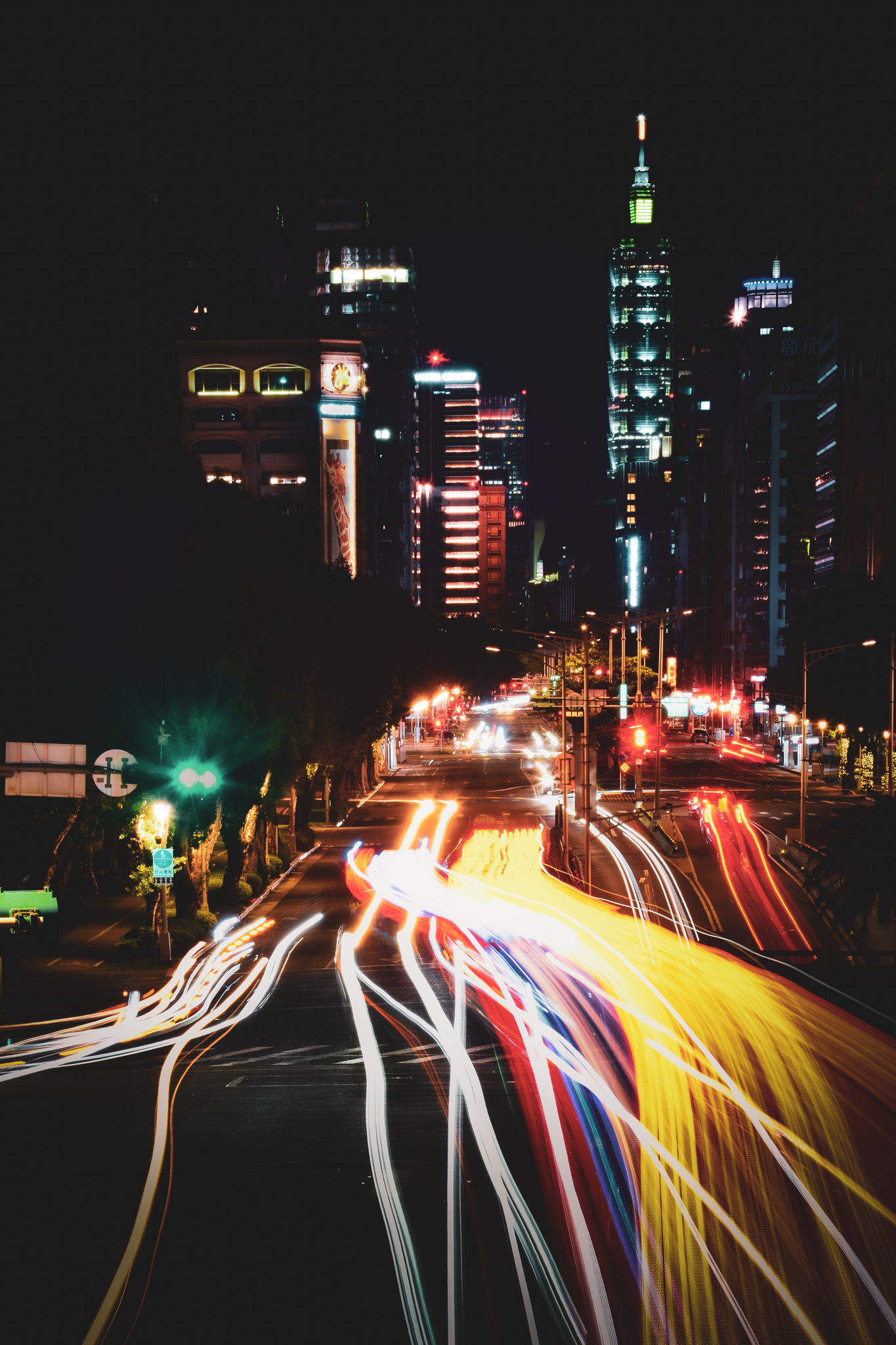 15s
15sApple's version picks the moment. This one, you control.
The built-in Long Exposure gives you one result and no way to change it. This is the manual version: a frame-by-frame timeline with two handles. Trim to the exact range, pick a blend mode, and watch the preview update as you drag.
- 01
Import a Live Photo or video, or shoot a new clip in the app.
- 02
Drag the two handles to trim to the frames you want.
- 03
Pick a blend mode and watch the composite update live.
- 04
Export full resolution to Photos. Nothing leaves your phone.
What a real long exposure needs.
Align handheld shots without a tripod.
On-device registration locks the static background sharp while your moving subject keeps its blur. Drag the divider below to compare: same frames, Align off on the left, on the right.
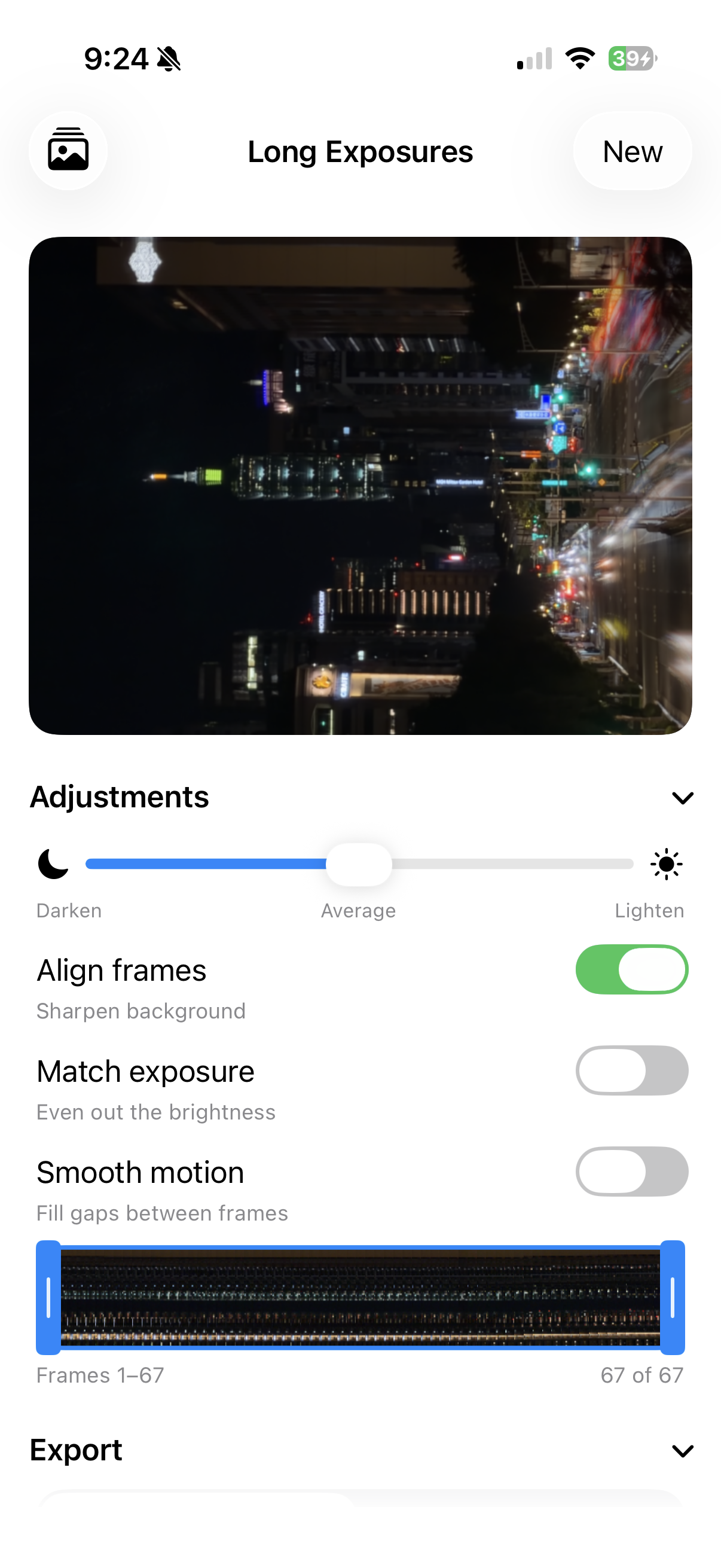
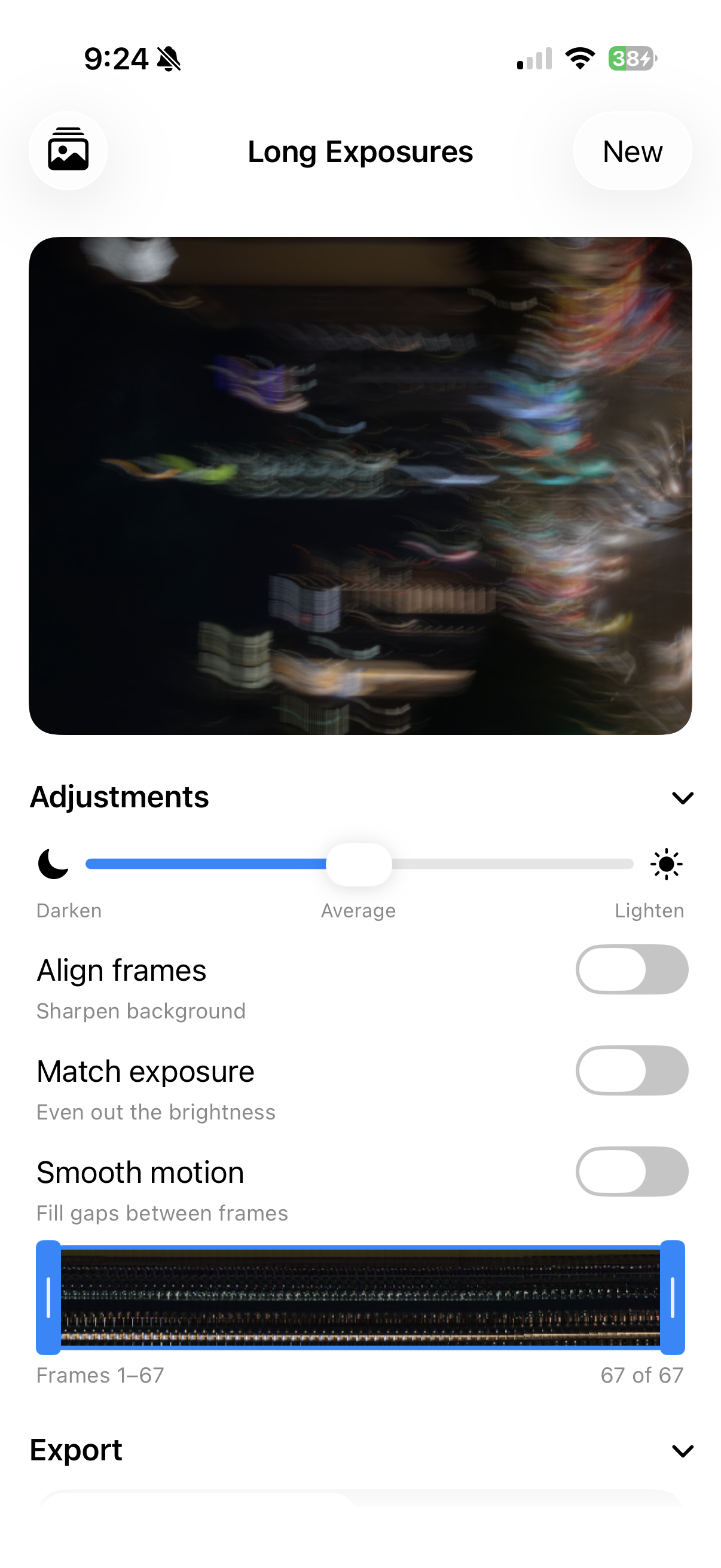
Drag the divider. Left: frames blended raw — handheld shake smears the whole scene. Right: Align frames on — the static background snaps sharp while the lights keep their trails.
Smooth motion
Optical flow fills the gaps between frames, so fast subjects blur into one continuous trail instead of leaving separate ghost frames.
Match exposure
Evens out the brightness flicker the camera bakes in between frames, so the blend stays clean instead of pulsing.
Hold to compare
Press the preview to flip to a single sharp frame and see what the exposure added.
Time-lapse video
Export a time-lapse of the exposure building up, frame by frame.
Or shoot a fresh clip with the exposure locked.
Record inside the app with exposure and white balance pinned, so every frame matches before they blend. The cleanest source you can get, no flicker to fix.
Take the shot
you couldn't take.
Free to try. Use the Live Photos already in your library. iPhone, iOS 17 and up.